Connect your Grants team to Claude
It takes about two minutes. Afterwards you can ask Claude about your grants plan in plain words, vote on the funding directions, and reach your account manager, all from a chat.
Your link. You will paste it in step 2.
First, open Customize in Claude
Open Claude on your computer (the Claude app or claude.ai). Click Customize in the left sidebar, then Connectors. Click + Add, then Add custom connector.

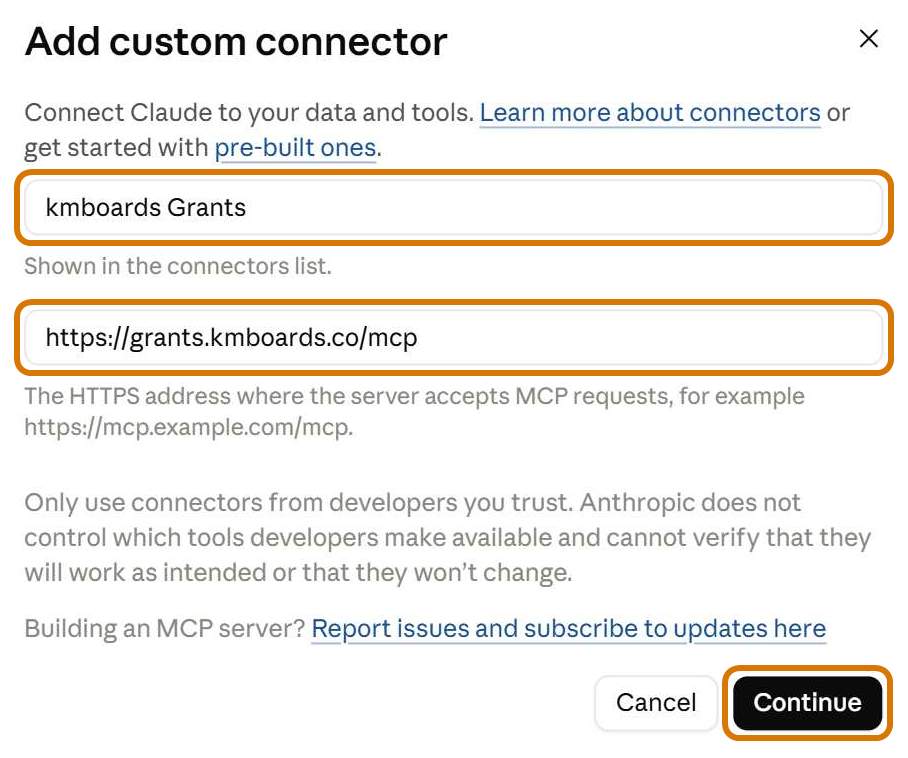
Next, paste your link
Type kmboards Grants as the name. Paste your link into the second box, then click Continue. On the next screen, leave everything as it is and click Add.
Claude shows the same short note for every custom connector: "Only use connectors from developers you trust." That is expected. This one is set up for you by Kivi Media, your grants team.
Last, sign in
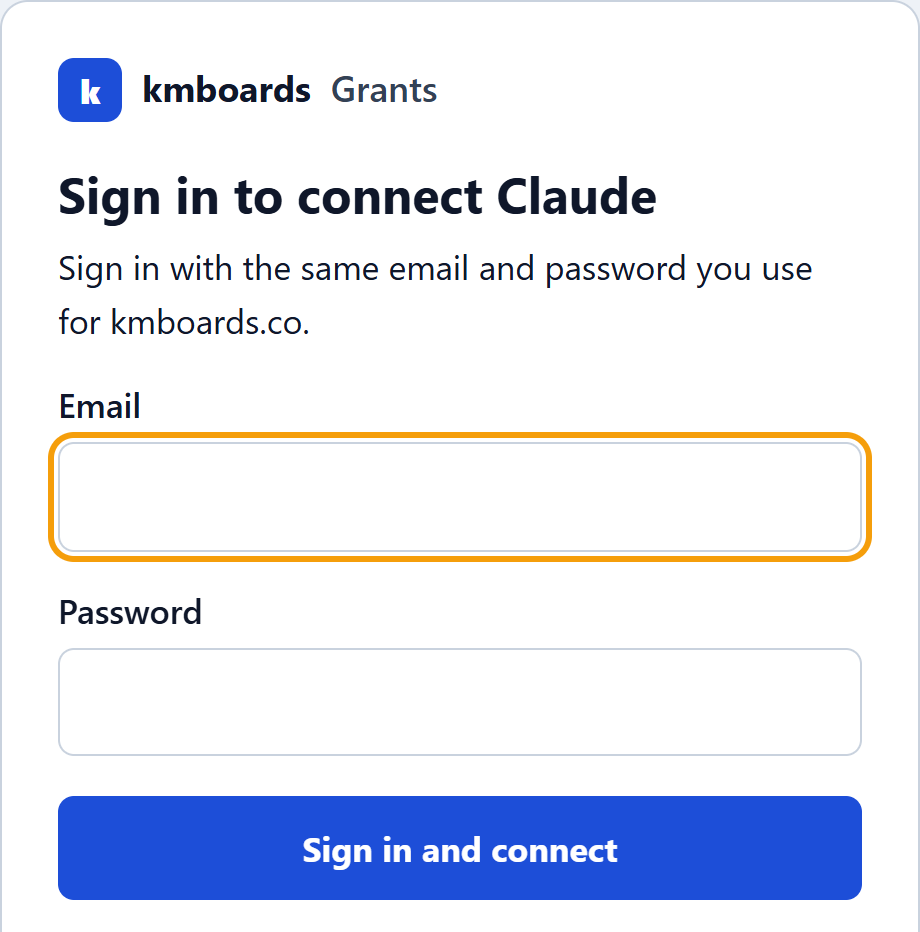
Click Connect. A kmboards page opens. Sign in with the same email and password you use for kmboards.co, then click Sign in and connect. You are back in Claude, connected.
The first time Claude reads your plan, it asks before using kmboards Grants. Click Always allow so it stops asking.
Then just ask
Start a new chat in Claude and ask:
Which funders fit us best?
Is this safe?
- Claude only sees your organization's Grants page on kmboards, nothing else.
- It signs in as you, with your own kmboards login. It can record your votes, notes and choices. It cannot spend money or contact anyone outside Kivi Media.
- Your password is checked by kmboards once and is not kept.
- You can disconnect any time in Claude: Customize, then Connectors.
Stuck? Email hilda@dailycookie.co and we will help.